
Recommended Entra ID configuration
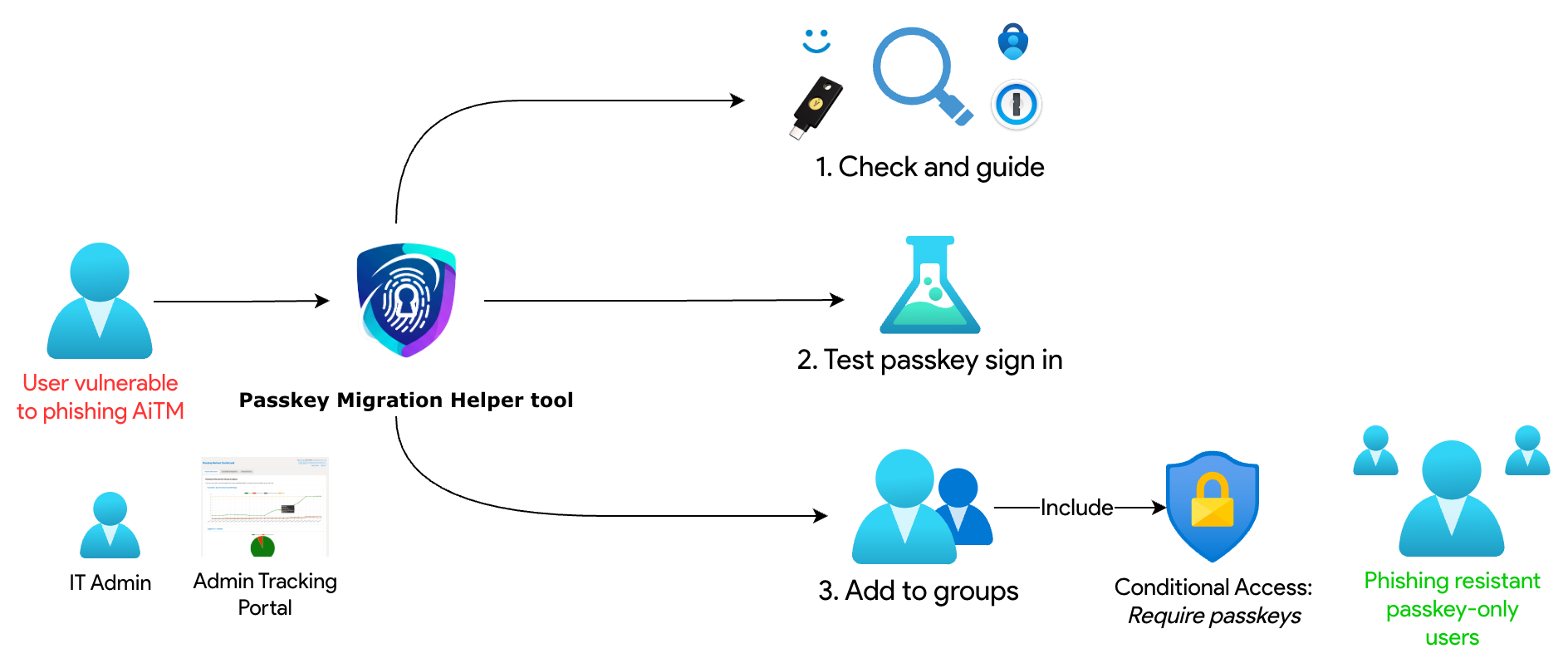
Start with authentication policies and platform SSO, then use Conditional Access to enforce the experience. A customised checklist populated with your group IDs is available in the Admin portal.
Authentication policies
In the Entra admin center, configure FIDO2 passkeys for all users, use the default profile for Microsoft Authenticator, and restrict registrations to the providers you intend to support.
- Open Authentication methods → Policies.
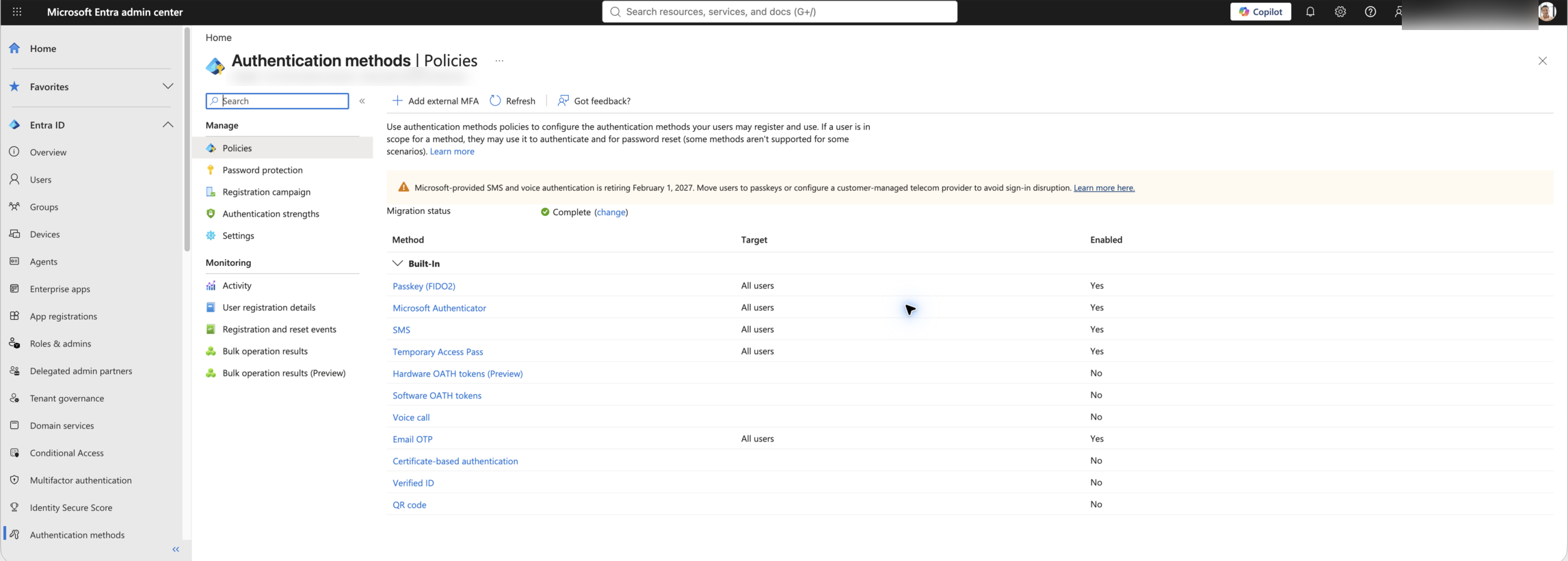
Authentication methods → Policies. Click to zoom. - Open Passkey (FIDO2) and enable it.
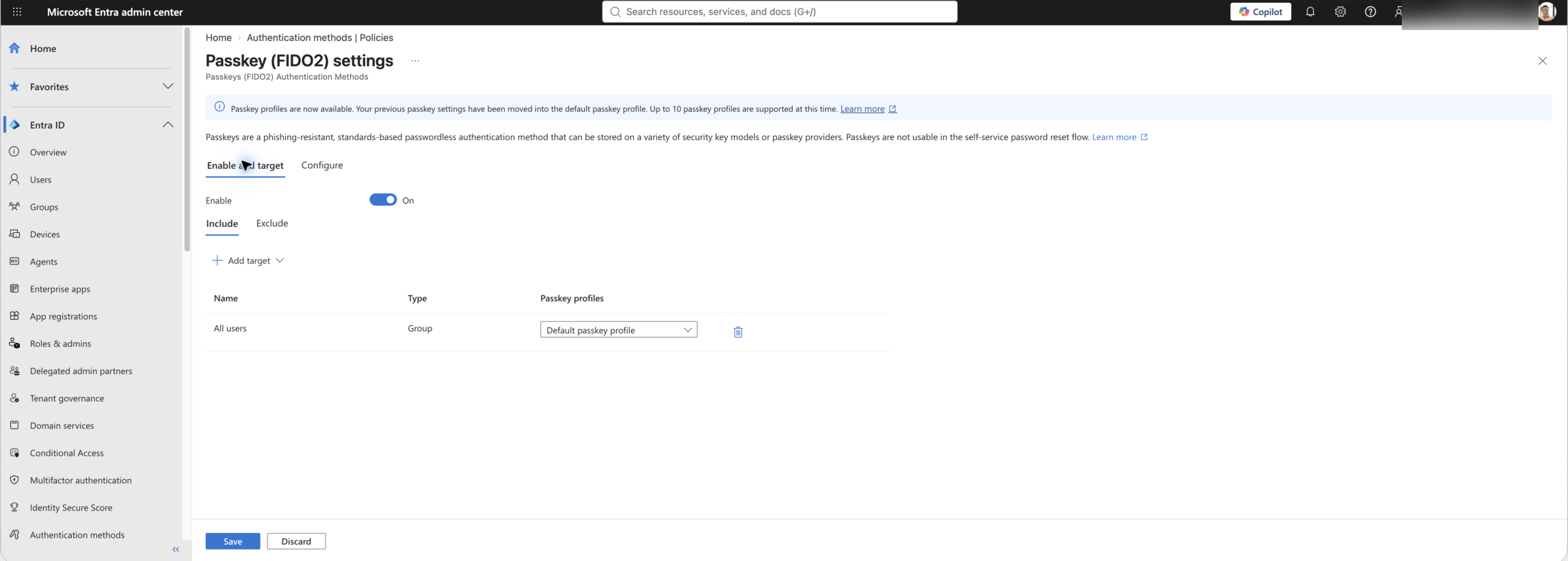
Enable and target. Click to zoom. - Set the target to All users, then select Configure.
- Open Default passkey profile.
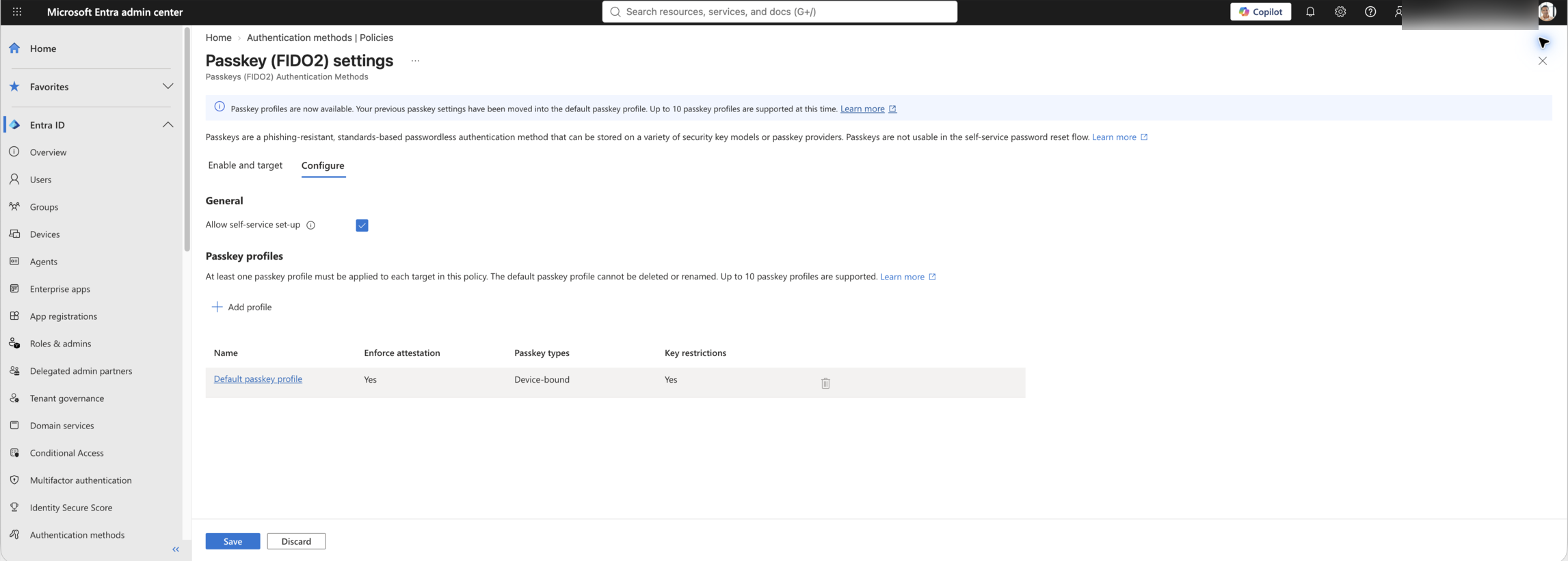
Configure. Click to zoom.
- Enable Enforce attestation.
- Set Passkey types to Device-bound.
- Enable Target specific AAGUIDs.
- Set Behavior to Allow, then add the permitted provider AAGUIDs. For an Authenticator-based rollout, add Microsoft Authenticator for Android and Microsoft Authenticator for iOS.
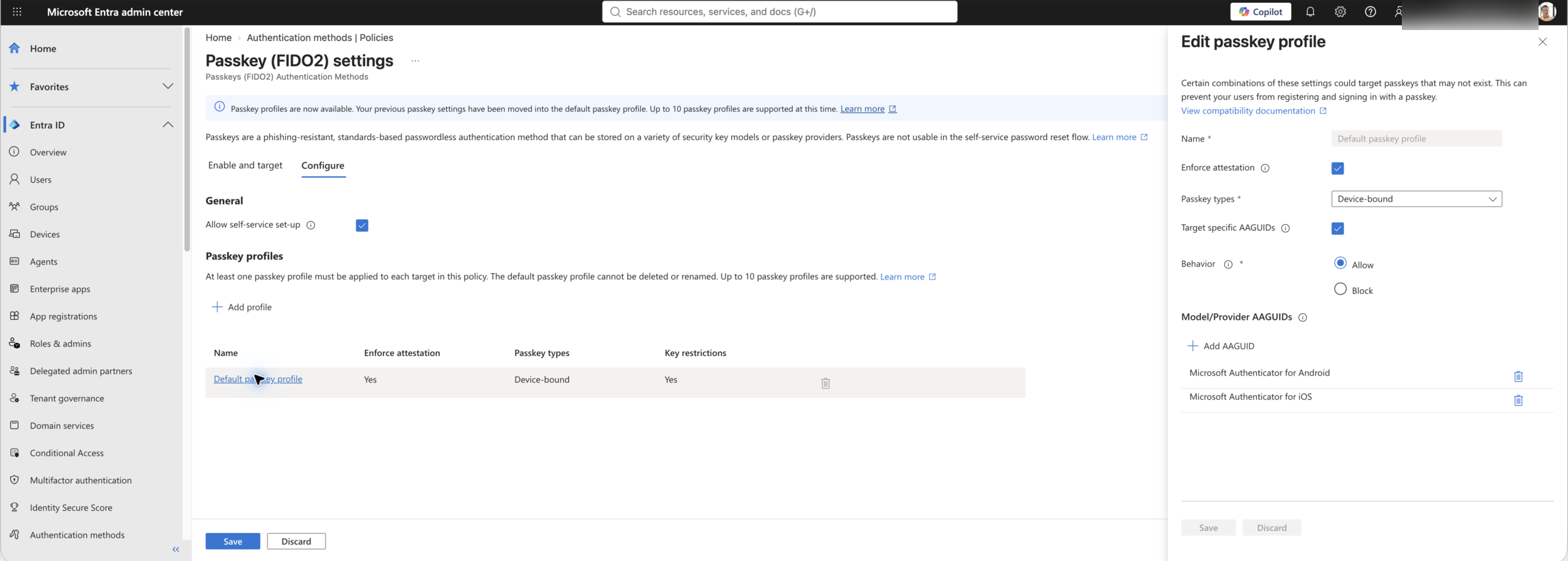
Default passkey profile and key restrictions. Click to zoom.
Employees are usually familiar with Authenticator push MFA and installing the app. Synced passkeys offer broader device support, but users may accidentally save and later lose the passkey in a personal password manager.
Platform credential
Passkey Helper expects users to have a platform credential on their account: either Windows Hello for Business (WHfB) or macOS Platform SSO. If this requirement is an issue for your organisation, contact support and we can remove this check.
We recommend deploying Windows Hello for Business (which is different from Windows Hello) and macOS Platform SSO, and doing this BEFORE inviting users to migrate through Passkey Helper. This is because setting up platform credentials often requires IT support to deploy MDM configuration. If a user does not have WHfB, the tool will offer some fault-finding tips, but it is best to have it ready before inviting users to migrate.
Conditional Access policies
Use three policies to enforce passkeys safely across desktop and mobile operating systems.
Policy 1: Passkey validation app
Protect the helper validation app so users must complete a phishing-resistant passkey check every time.
- Users include: All users
- Target resources: Passkey Migration Helper - Always Require Passkey app (46eadcca-e1c2-45a6-b44e-a193c201d78b)
- Grant: Require Authentication strength → Phishing-resistant MFA
- Session: Sign-in frequency = Every time
Policy 2: Desktop operating systems
Enforce passkeys for Windows, macOS, and Linux users in your enforcement group.
- Users include: Enforcement group ID from your helper configuration
- Users exclude: Break-glass accounts; optionally exclude your users-with-issues group during rollout
- Target resources: Include all cloud apps
- Optional exclude (passkey interrupt wizard):Windows Azure Active Directory (00000002-0000-0000-c000-000000000000), Azure Credential Configuration Endpoint Service (ea890292-c8c8-4433-b5ea-b09d0668e1a6)
- Conditions → Device platforms: Include any device; exclude iOS and Android
- Grant: Require Authentication strength → Phishing-resistant MFA
Policy 3: Mobile operating systems
Cover mobile sign-ins with the same enforcement group and a mobile-only policy.
- Users include: Enforcement group ID from your helper configuration
- Users exclude: Break-glass accounts; optionally exclude your users-with-issues group and incompatible devices group during rollout
- Target resources: Include all cloud apps
- Optional exclude (passkey interrupt wizard):Windows Azure Active Directory (00000002-0000-0000-c000-000000000000), Azure Credential Configuration Endpoint Service (ea890292-c8c8-4433-b5ea-b09d0668e1a6)
- Optional exclude (iOS out-of-box enrollment):Microsoft Intune (0000000a-0000-0000-c000-000000000000), Microsoft Intune enrollment (d4ebce55-015a-49b5-a083-c84d1797ae8c)
- Conditions → Device platforms: Include any device; exclude Windows, macOS, and Linux
- Grant: Require Authentication strength → Phishing-resistant MFA