
Everything You Need to Know About Passkey Helper
Registration is not enforcement. Learn how Passkey Helper helps Entra ID teams reduce lockout risk, guide users through passkeys, and track a controlled rollout.
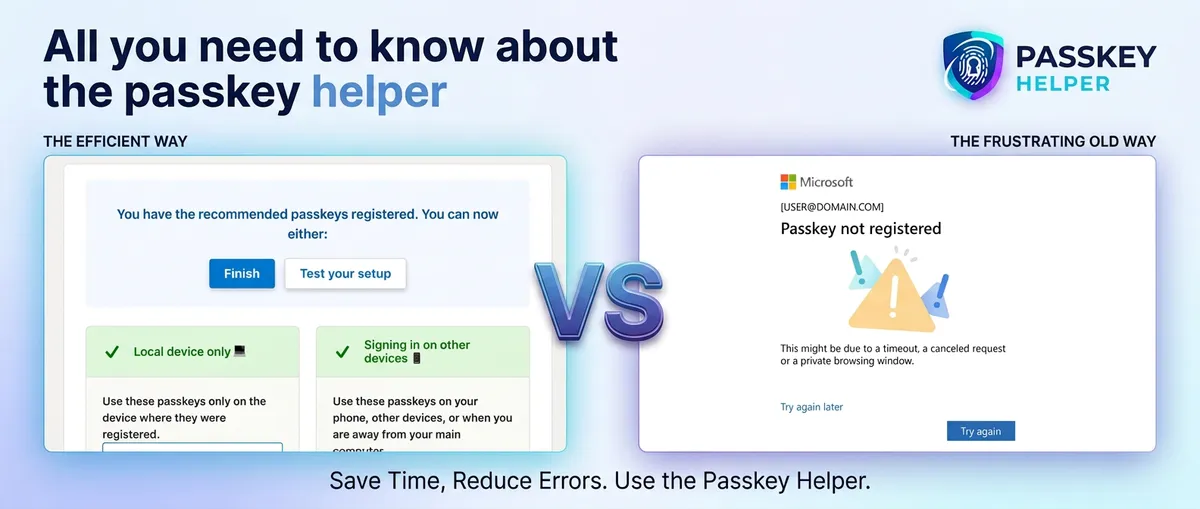
Passkey registration is the easy part. The hard part is enforcing passkeys across an organisation without locking people out, overwhelming the help desk, or losing sight of who is ready.
Passkey Helper gives Entra ID teams a controlled path from push MFA to phishing-resistant passkeys. It checks each user’s readiness, tailors the instructions, catches device and method gaps, lets the user test a fresh sign-in, and moves them into Conditional Access enforcement only when they are ready.
That distinction matters. Microsoft’s registration campaign can help a user add a passkey, but registration alone does not require them to use it. The security outcome comes when all identities are covered by a Conditional Access design that requires phishing-resistant authentication. Read more in our case study of deploying passkeys to 1,000 users at a manufacturing firm.
We created this tool through consultancy engagements after seeing the same migration problems repeat: users needed different guidance, admins lacked reliable rollout signals, and bulk enforcement created avoidable risk. The helper does not replace Microsoft’s registration or enforcement features; it provides the coordination layer around them.
Why does Passkey Helper exist, and how does it compare with Microsoft’s native offerings?
Passkey Helper helps organisations migrate users from traditional MFA (push, SMS, OTP) to phishing-resistant passkeys. It is a user-facing application combined with an administrator portal for reporting and control. It checks a user’s current state, gives them dynamic guidance that matches their setup, spots problems before they happen, helps them test a passkey sign-in, and lets them self-enforce when they are ready. Admins can then see progress, identify users who need help, and expand the rollout in stages.
Microsoft’s approach is to interrupt users to register passkeys. This can happen at inconvenient times, can result in passkeys being stored in unexpected places, and can introduce process changes that the help desk may not be aware of.
Even if a user successfully registers a passkey, they are not forced to use it — an attacker can exploit this to downgrade authentication.
Our approach is to help organisations enforce the use of passkeys in a controlled fashion, whilst mitigating downgrade attacks.
You ask users to visit our app, we dynamically guides them through steps needed based on their logs, and finally they then self-enforce. In addition, we provide a range of reporting tools to help organisations track and support their rollout.
Put simply, Passkey Helper makes Entra ID passkeys ready for the enterprise deployments — covering change control, project management and user communications.
What is the user experience like?
Five killer features
1. Dynamic analysis at login
At login, the helper dynamically analyses the user’s current state. It reads registered authentication methods, detects whether the user is on iOS or Android, and searches up to 90 days of sign-in data through KQL queries. It does this within seconds, then tailors the journey to that specific user. The advantage is simple: users only need to complete the minimum steps required to enforce passkeys.
This dynamic guidance keeps the process focused. Our log analysis shows that a typical user interaction takes just three minutes: enough time for the user to register a passkey and self-enforce. That saves time and money while letting users get on with their day.
2. It spots problems before they happen
If a user tries to self-enforce but the sign-in logs show an operating system without passkey support, or the current device’s passkey readiness cannot be confirmed, the helper pauses the process. We have seen Windows Hello for Business (WHfB) PINs being forgotten, leaving authentication methods looking correct even though the user does not use WHfB every day. The helper captures these signals in real time and guides the user through remediation.
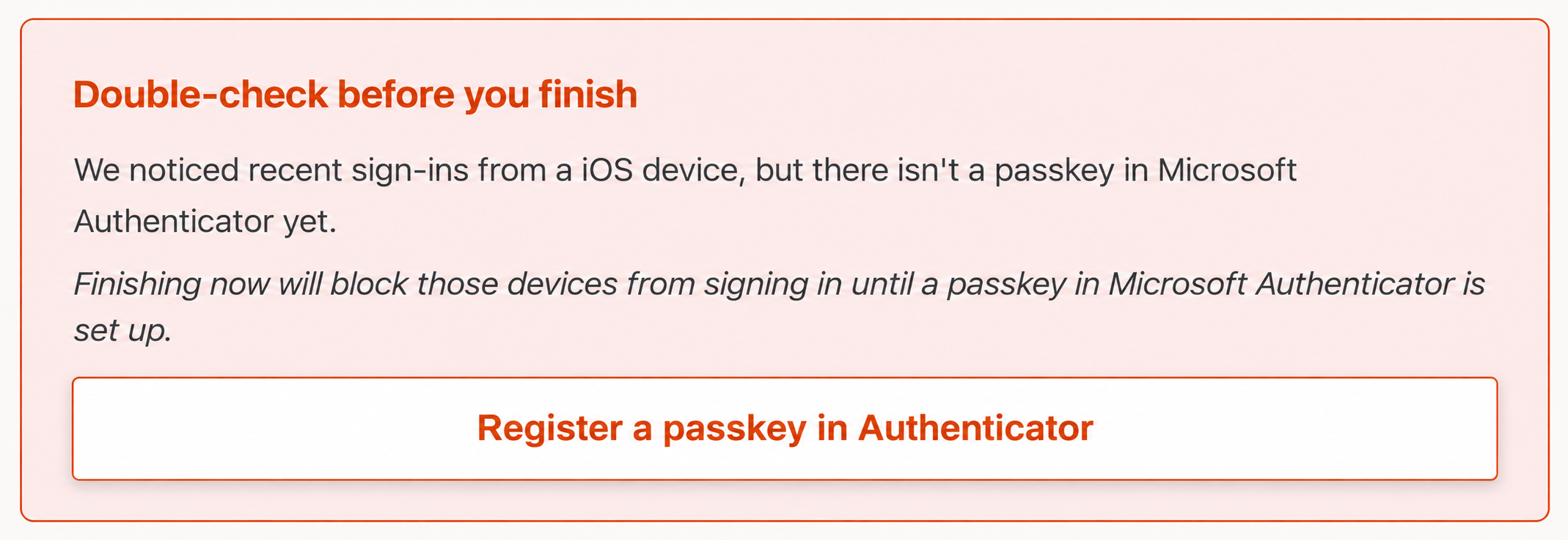
3. Controlled rollback when things go wrong
Sometimes things go wrong—for example, an app may not work with passkeys. If this happens, the tool has a built-in ‘undo’ function. It is self-service and the user can request it to undo enforcement when the action is taken within a configurable time window. It creates and keeps a local ticket, while also forwarding the issue to the service management platform of your choice.
4. Actionable reporting for IT admins
IT admins often find Microsoft’s reporting difficult to use. The helper provides a detailed review of sign-in and authentication data, showing which users are ready, which have demonstrated access, and which can be migrated by an admin within the tool.
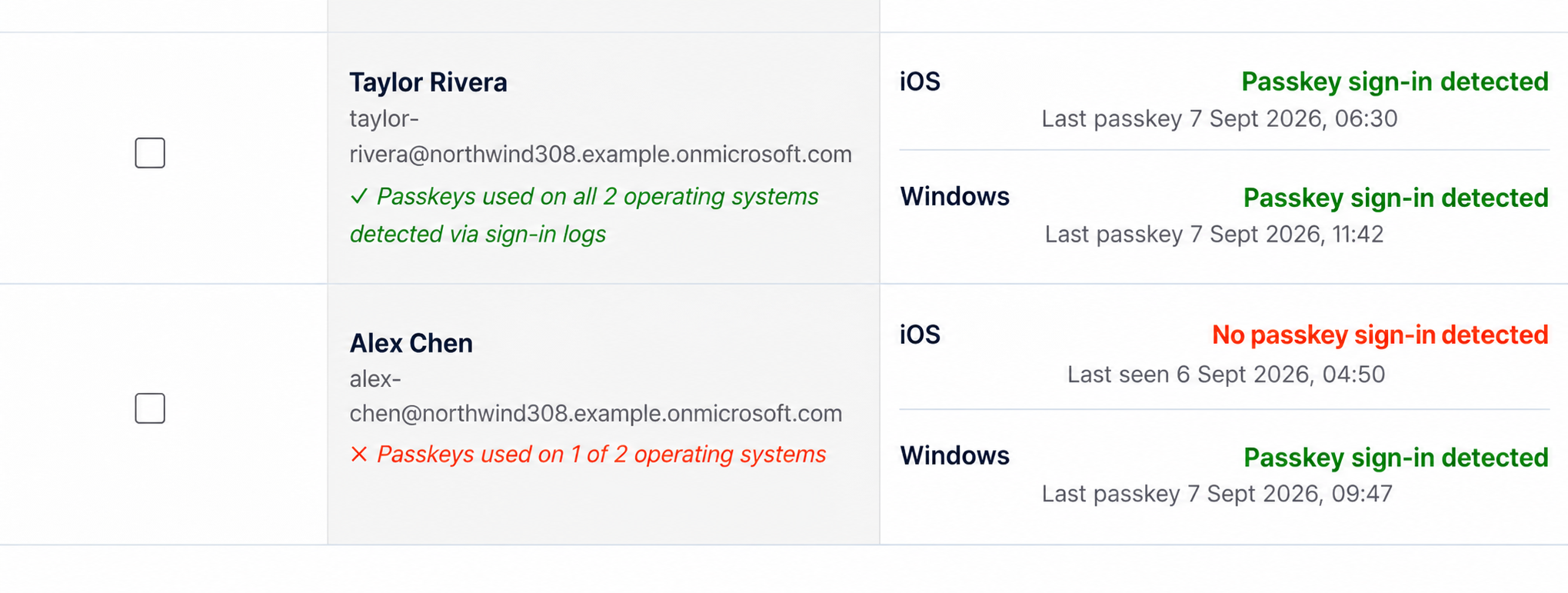
5. Support, continuous user feedback and improvement
Choosing Passkey Helper means you get access to real people with experience across multiple passkey projects. We understand the nuances when rolling out passkeys in different Entra ID environments, and can support fault-finding.
Feedback from our clients is that the tool is well received by end users (users like the confetti!). When clients identify issues or suggest improvements, we actively improve the tool regularly. As a customer, you know you’re in safe hands.
Ready to make the move?
Turn your passkey plan into a controlled rollout.
Start with a small group, learn from real user behaviour, and expand when your team can see who is ready.
Start the sign-up wizard